A practical, honest guide to getting more Google reviews for your local business: when and how to ask, the direct review link, replies, and what not to do.
You can be the best electrician, plumber or shop in your area and still lose the job to a competitor with more stars next to their name. When people search for a local business, they do not just look at who shows up. They look at the reviews, and they choose accordingly. Reviews are the deciding factor, and they are also one of the biggest things Google uses to decide who ranks in the local results.
The frustrating part: most happy customers never leave a review unless you ask. The good news: asking is simple, free, and completely within your control. Here is exactly how to get more Google reviews for your local business, the right way.
Why reviews matter so much
Two reasons, and they compound. First, ranking: the number, quality and freshness of your reviews is one of the strongest signals for the local pack (the map with three businesses at the top). There is more on that in our guide to getting your local business found on Google. Second, trust: a strong set of recent reviews is what turns someone who found you into someone who calls you. A business with 40 reviews at 4.8 stars beats one with 3 reviews every time, even if the work is identical. It counts double where the customer cannot check the work for themselves, such as a car repair or a renovation: on garage websites and renovation company websites alike, reviews do more selling than anything the business says about itself.
Step 1: Find and save your review link
Google gives every verified business a direct "write a review" link. In your Google Business Profile, look for the "Ask for reviews" or "Get more reviews" option and copy the short link it generates. Save it somewhere you can grab in seconds, because the whole game is making it effortless for the customer. If they have to search for you and hunt for the review button, most will not bother.
Step 2: Ask at the right moment
Timing beats everything. Ask when the customer is happiest: right after you have finished the job and they are pleased, when they thank you, or just after you have solved a problem for them. That window of goodwill is short, so do not leave it for "later". A review asked for on the day is worth ten you meant to chase up next week.
Step 3: Just ask, simply
You do not need a clever campaign. A direct, friendly ask works best. Some examples you can adapt:
- In person: "I'm really glad you're happy with it. It would genuinely help my business if you left a quick Google review. I can text you the link right now if that's easier?"
- WhatsApp or text: "Thanks again for today, [name]. If you have a spare minute, a quick Google review would mean a lot: [your link]. No pressure at all."
- Email: a short thank-you that ends with the link and one line on why it helps.
The key is to send the link with the ask, in the same message. Every extra step loses people.
Step 4: Make it effortless with a QR or NFC keyring
The easier you make it, the more reviews you get. Reduce it to a single tap:
- Text or WhatsApp the direct link rather than saying "look us up on Google".
- Put the link in your email signature and on your invoices.
- Hand over a QR keyring. A small keyring with a QR code that opens your review form is perfect for tradespeople and shops. The customer points their phone at it and they are on your review page in seconds. Leave one on the counter, clip one to the keys you hand back, or keep one in the van.
- Or use an NFC tag. Same idea, even quicker: the customer taps their phone on an NFC keyring or card and the review form opens, with nothing to scan.
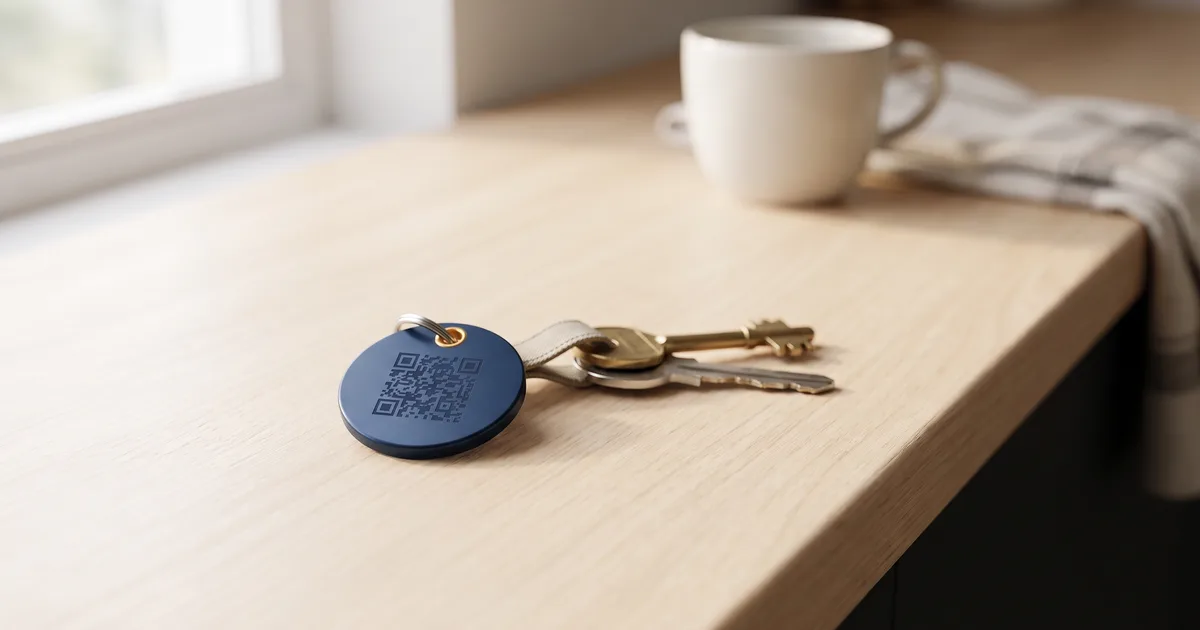
These little physical prompts work because they remove every last bit of friction in the moment the customer is happiest. If you would like them ready to go, we can make QR or NFC review keyrings for you, pre-linked to your Google profile, so all you do is hand them out.
Step 5: Automate the ask so you never forget
The biggest reason businesses miss out on reviews is simply forgetting to ask when things get busy. You can take that off your plate by automating it: a simple workflow that sends each customer your review link by text or email a day or two after the job is finished or the invoice is paid. It runs quietly in the background, asks every customer at the right moment, and needs nothing from you once it is set up. This is exactly the sort of thing our automation service puts in place for local businesses, so the reviews come in on their own.
Step 6: Reply to every review
Replying matters more than people think. It shows future customers you are attentive, and Google treats an actively managed profile as a positive signal. Thank people for good reviews, briefly and warmly. And when a less positive one lands, how you respond is on display for everyone.
Step 7: Handle negative reviews calmly
A bad review is not the end of the world, and a measured reply often impresses future readers more than a wall of five stars. Reply politely, do not get defensive, acknowledge the issue, and take the detail offline ("I'm sorry to hear this, please call me on [number] and I'll put it right"). Never argue in public. One calm reply to a critic reassures the next hundred people who read it.
What not to do
Google's rules matter, and breaking them can get your reviews removed or your profile penalised. Do not:
- Buy reviews or use fake ones. They get detected and removed, and it puts your profile at risk.
- Offer discounts, freebies or prize draws in exchange for reviews. Incentivised reviews are against Google's policy.
- Only ask happy customers while filtering out unhappy ones (known as review gating). That is also against the rules.
- Swap reviews with other businesses. Fake, in Google's eyes.
Ask everyone, honestly, and let the reviews be real. Real is what builds trust anyway.
How long until it makes a difference?
A steady trickle beats a one-off burst. Ten reviews that arrive over three months look far more natural and trustworthy, to customers and to Google, than twenty that all appear on the same afternoon. Build asking into your routine after every job, and within a few months you will have a review profile that quietly wins you work. It is part of the groundwork behind VLR Instalaciones, an emergency electrician whose website we rebuilt in January 2026 and which shows its Google reviews on that site: its clicks from Google went from 62 in September 2025 to 1,005 in September 2026, according to Search Console. We show it month by month in the VLR Instalaciones results.
And how do you compare with the businesses near you? Compare your Google reviews with your competitors' for free: our audit finds your listing and the closest businesses in your trade, and shows the rating and review count for each.
Frequently asked questions
How do I get my Google review link?
Open your Google Business Profile and look for "Ask for reviews" or "Get more reviews". Google generates a short link that takes people straight to the review form. Copy it and keep it handy.
Is it against the rules to ask for reviews?
No. Asking customers for honest reviews is completely allowed and encouraged. What is not allowed is paying for them, incentivising them, or only asking your happiest customers.
Can I offer a discount for a review?
No. Offering any reward (discounts, freebies, entries into a draw) in exchange for reviews breaks Google's policy and can get your reviews removed. Ask without strings attached.
How do I deal with a bad review?
Reply calmly and politely, acknowledge the concern, and move the detail to a phone call or email. A composed, human response reassures everyone else reading it. Never argue in public.
How many reviews do I need?
There is no magic number. The goal is simply more genuine, recent reviews than the competitors you are up against locally, plus a steady flow over time. Consistency matters more than any single total.
Reviews are the cheapest, highest-impact marketing most local businesses ignore. Set up the habit and it pays off for years. If you would like your website and Google profile working together to bring in local customers, that is what we do. Take a look at our websites or get a free consultation and we will give you an honest plan for getting found and getting chosen.